

How ROIP works
ROIP grades each prompt on what its kind of task needs, then combines those grades into a score for the session.
- 1Capture. Worsley records your session, in your browser or your terminal, as an ordered series of turns.
- 2Analyze. Worsley's grader, Jev, reads the session: what kind of task it is, what each prompt does (a New Ask, Refinement, Correction, Extension or Close), and which components each prompt needed and gave.
- 3Score. A fixed formula turns those answers into a grade for each prompt, and combines the prompts' grades into your ROIP.
- 4Improve. Worsley turns the analysis into feedback you can use in your next session.
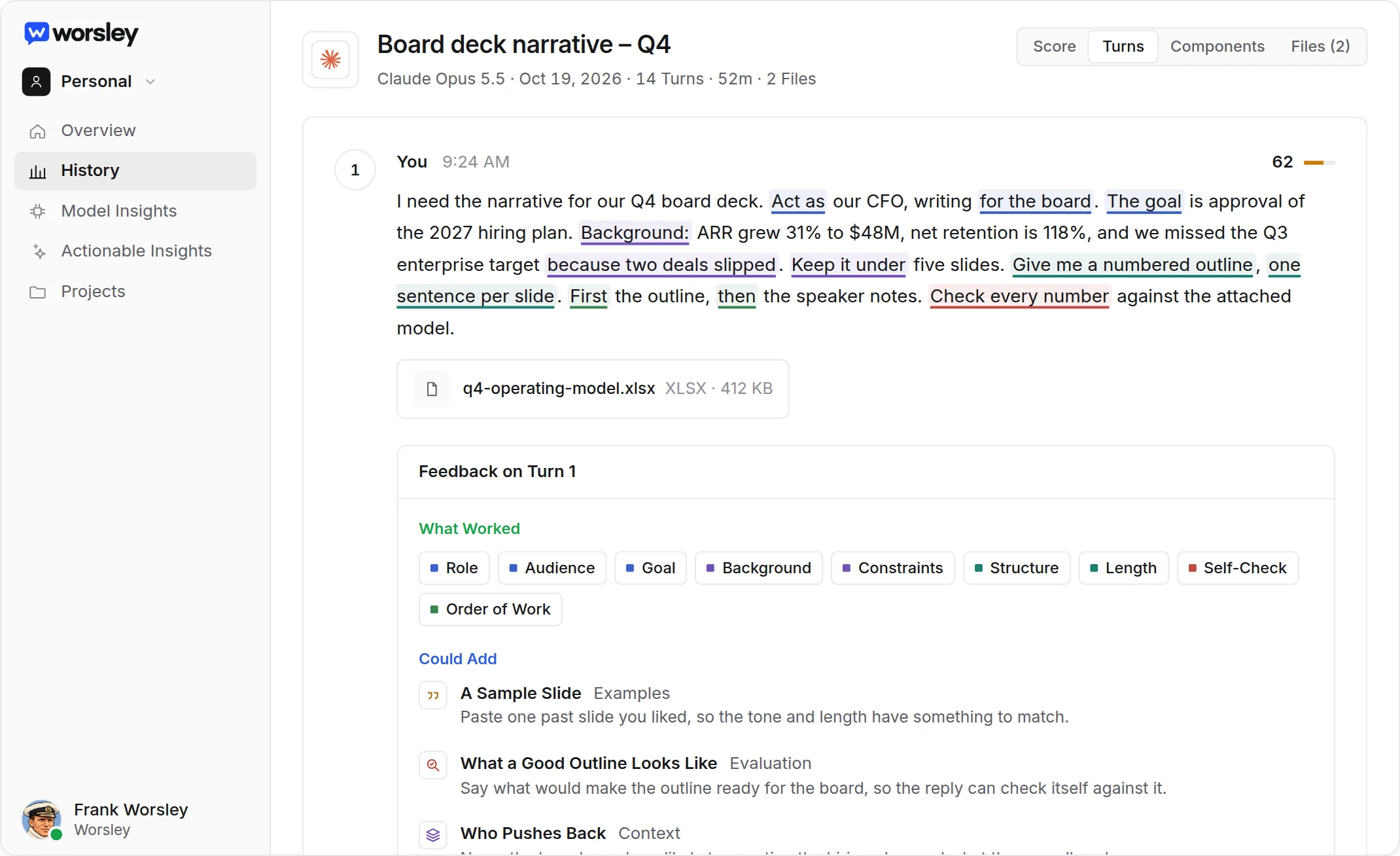
Labels, then a fixed formula
The grader only records what it sees. It never sets the score. The score comes from a fixed formula with fixed weights, the same for everyone, so the same labels always give the same score. Every score records the formula version that produced it, so scores from different versions are never mixed silently.
See The AI models behind Worsley for which model does what.
Related articles
- The AI models behind WorsleyOne model reads your sessions, a fixed formula scores them, and a language model writes suggestions only when you ask.
- How session scores are calculatedEach prompt is graded on what its kind of task needed, and your ROIP is a weighted average of those grades.
- Understanding your ROIP scoreA score from 0 to 100 that you can trace back to your prompts, your turns and the result.